MonBuddy

HomeFeaturesOn-premiseHow it worksSecurityFor parentsPricing Order MonBuddy

What can MonBuddy tell you?

You do not need to sift through technical logs. A clear browser interface shows how the computers are being used, while all detailed data stays on your own MonBuddy server.

A timeline of the day

For each computer, you can see when activity began, how much time was active or idle, and which applications were in the foreground. Your own categories can separate work, study and other use.

Configurable screenshots

You decide how often screenshots are taken. Each image is encrypted on the monitored computer and is not stored on your server as an ordinary image file that anyone can open.

Live view only on request

You can view up to four computers at once. Streaming never starts by itself, asks whether to continue after five minutes, and does not create a continuous video archive.

Clear website summaries

Opened web addresses are shown in one place, and your own rules can highlight categories that need attention. Firefox support has been verified in production; Chrome, Edge and Brave support is complete but still undergoing further field testing.

Simple connection on the local network

The Windows installer automatically finds your MonBuddy server and registers the computer. The administrator completes the setup, and the user has no daily maintenance to perform afterwards.

Retention and storage under your rules

You can set how much storage the system may use and how many days images and events are kept. Encrypted backups can also be scheduled, keeping growing data volumes predictable.
New for managers

Reports, productivity and departments – in one place.

Work time and attendance by employee, a productivity score you can tune, and rules per department. Everything is calculated on your own server; nothing leaves it.

Attendance and work time

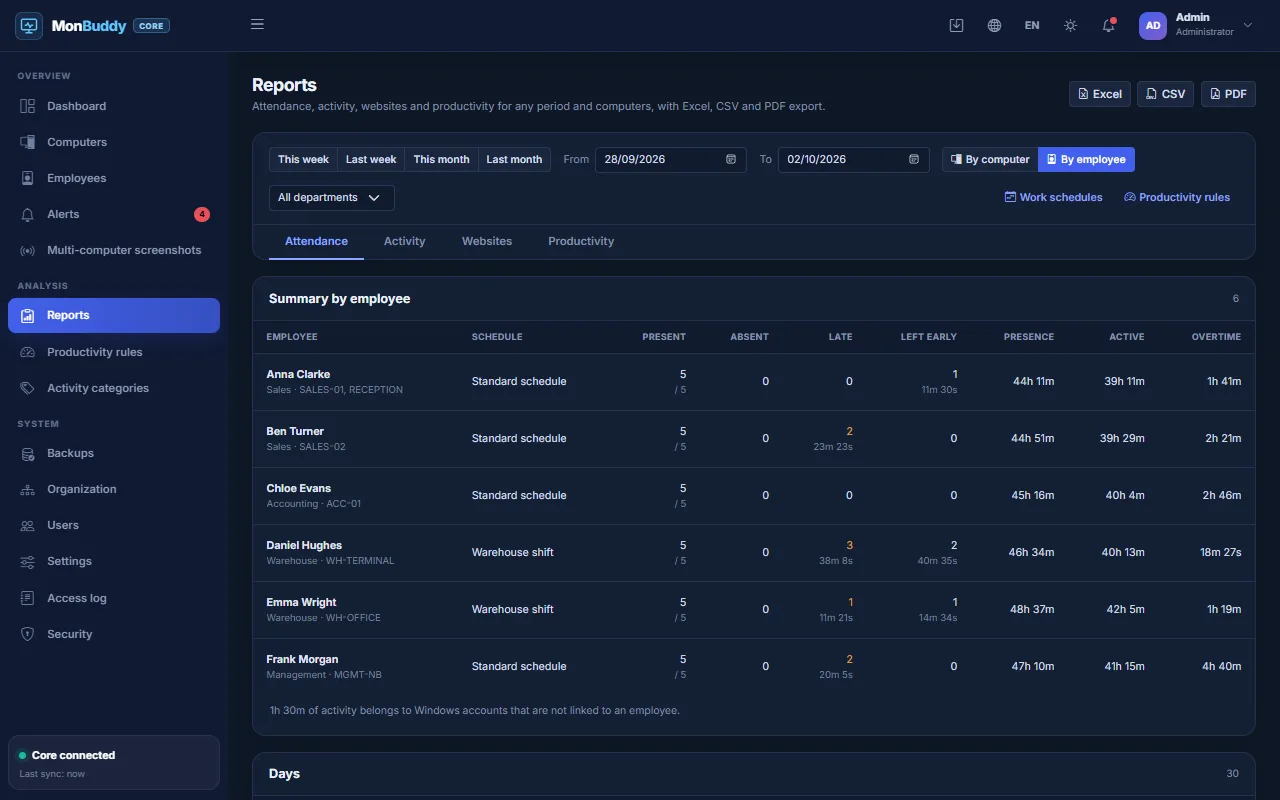
For any period, by computer or by employee: arrival, departure, late starts, early leaves, overtime and absences – measured against your own work schedules.

  • Work schedules with breaks, grace time and public holidays
  • Excel, CSV and PDF export in one click
  • An optional weekly summary by e-mail
Attendance report by employee in the MonBuddy console

Productivity score

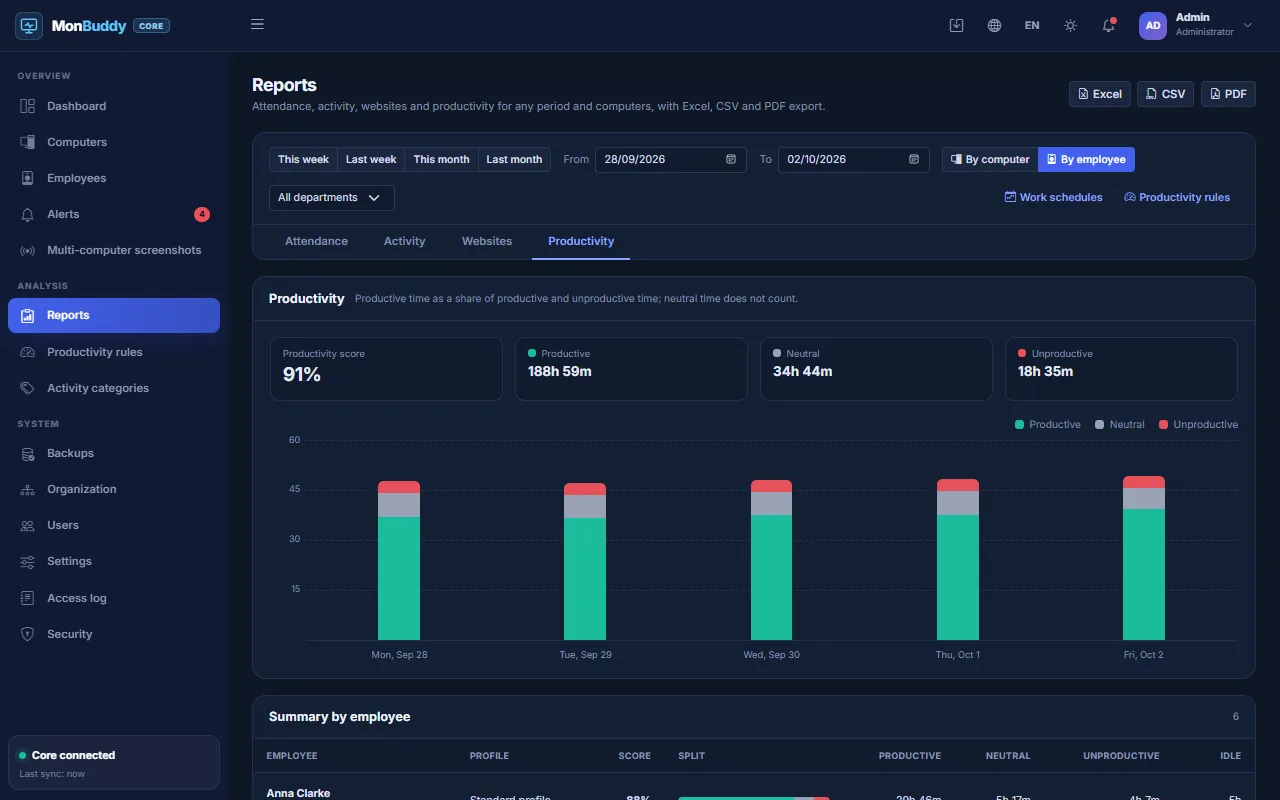
Label programs and websites as productive, neutral or unproductive, or build on the web filter categories. MonBuddy calculates a daily score and shows the trend.

  • A ready-made set of office rules to start from
  • Programs and sites without a rule can be labelled in one click
  • New rules apply to past days too
Productivity report with a daily chart

Employees, not just computers

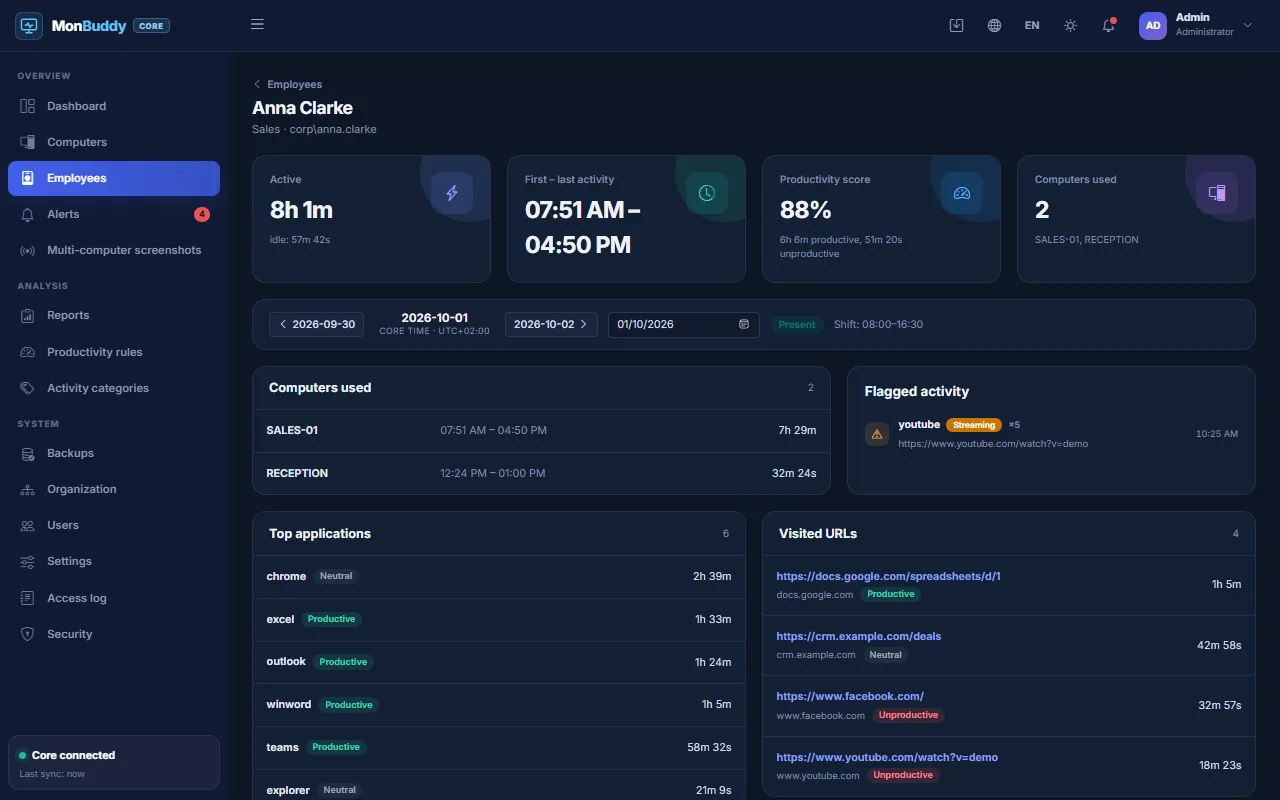
Link Windows accounts to employees: each person's day is put together from every computer they used, shared ones such as reception or warehouse terminals included.

  • A daily page with programs, websites and attendance
  • Reports by employee as well as by computer
  • Accounts seen on the network are offered for linking
One employee's day put together from two computers

Departments with their own rules

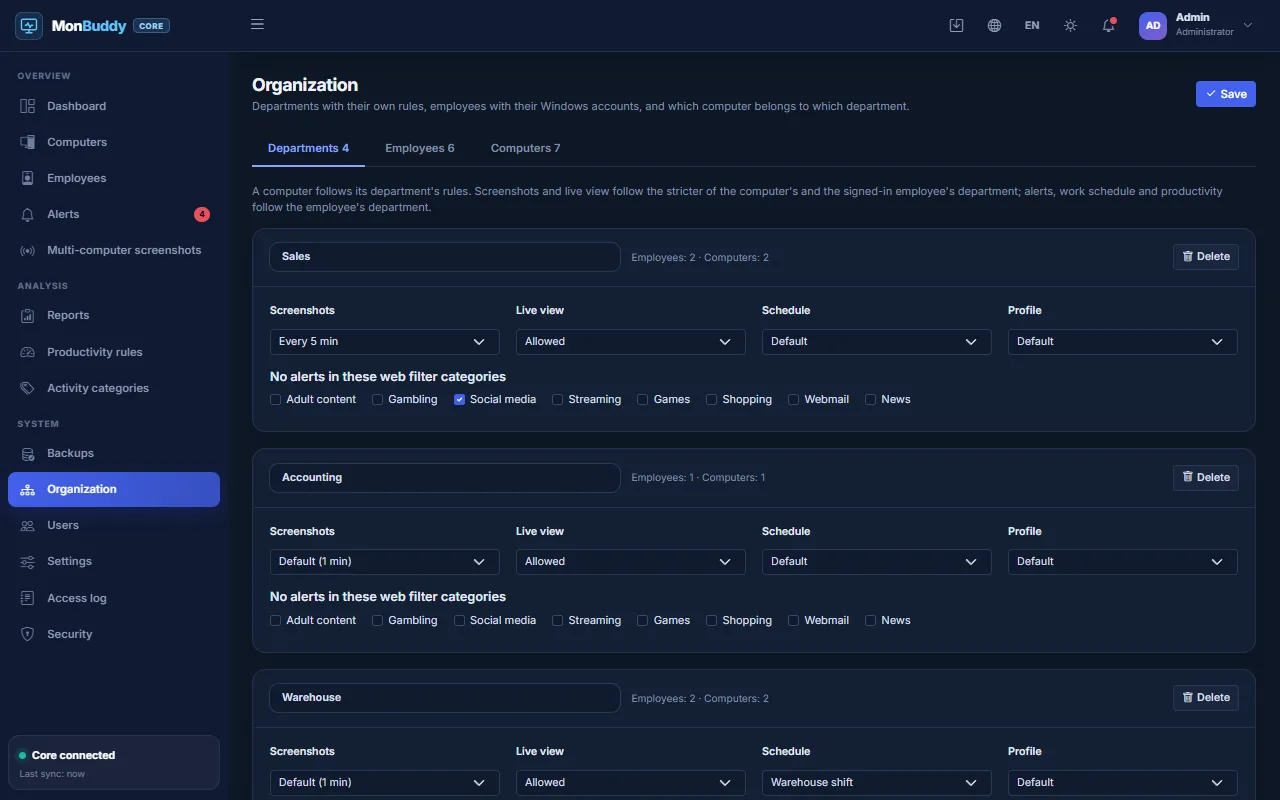
Per department you can turn screenshots off or make them less frequent, disable live view, mute alert categories, and set its own work schedule and productivity profile. Department managers see only their own team.

  • On shared computers the stricter rule wins
  • A department manager role, with live view where allowed
  • Every view is recorded in the access log
Department rules in the MonBuddy console

Let’s decide together whether MonBuddy fits your needs

Tell us how many computers you want to review and whether the use is for a business or a family. We will explain the options and the local requirements in plain language.